Walk into an Apple Store or open a browser tab, and the MacBook lineup starts to feel like a test you didn’t study for. Air or Pro? 13-inch or 15-inch? Which chip? How much storage? It’s a lot. And if you’re a student, a young professional, or just someone who needs a good laptop, the last thing you want is a long explanation of what “unified memory architecture” means.
So here’s a simpler question: what do you actually use your laptop for every day? The answer to that tells you almost everything you need to know.
The MacBook Air: The Right Choice for Most People
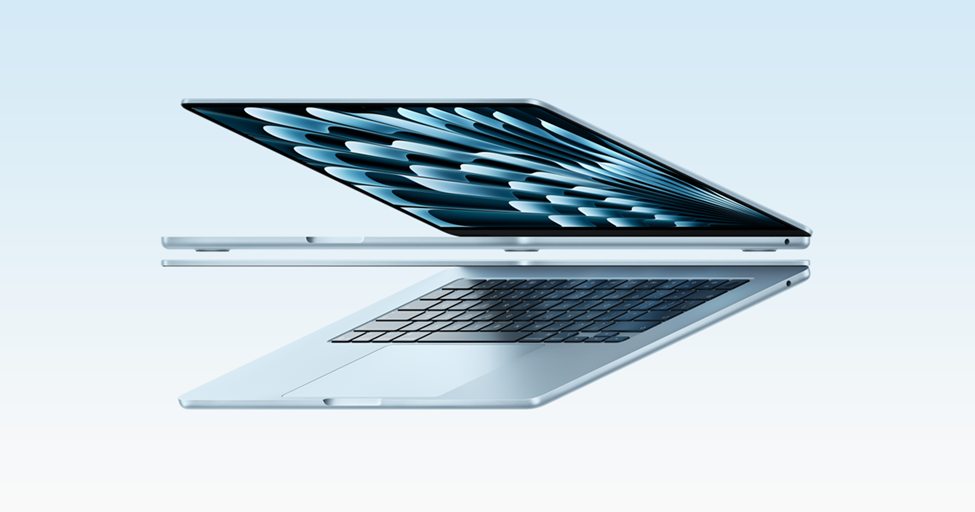
The MacBook Air is probably the easiest MacBook to recommend right now. It is thin, lightweight, reliable, and powerful enough for most people’s everyday needs. The battery easily lasts through a full day, and the fanless design keeps it completely silent during normal use.
Who it’s for: For students, it handles everyday college life easily. Lecture slides, research tabs, assignments, Spotify in the background, Netflix, random Zoom calls. It manages all of it smoothly. Writers, remote workers, and people constantly multitasking between apps will also find it more than enough.
It also handles light creative work surprisingly well. Canva, Photoshop, Lightroom, CapCut, and even basic 4K video editing run smoothly on Apple’s M-series chips. The only limitation is that it has no cooling fan, so during heavy tasks like long video exports or 3D rendering, it can slightly slow down to manage heat. For most people, though, this will never matter.
Chip and performance: The latest MacBook Air models run on Apple’s M5 chip with a 10-core CPU and up to a 10-core GPU. The base model now starts with 16GB unified memory, which makes multitasking feel fast and smooth.
Apps open quickly, everyday work feels effortless, and even editing software performs far better than most people expect from such a thin laptop. Unless your work demands creative software every day, the base model is usually enough.
Display: It comes in two sizes, 13-inch and 15-inch, with actual display sizes of 13.6 inches and 15.3 inches. Both feature Apple’s Liquid Retina display with 500 nits of brightness, P3 wide colour, and True Tone.
The screens look sharp and vibrant for streaming, writing, editing photos, or everyday browsing. The 15-inch model simply gives you more room for multitasking and creative work.
Storage and memory: It starts with 512GB SSD storage and 16GB unified memory. Storage can be upgraded to 4TB, while memory goes up to 32GB.
For most people, 1TB is the smarter choice because storage fills up faster than expected. Since MacBook storage cannot be upgraded later, it is worth planning ahead before buying.
Battery life: Apple rates the MacBook Air for up to 18 hours of battery life. In real-world use, most people can comfortably get through a full day of classes, work, streaming, and browsing without needing to charge.
Weight and portability: The 13-inch one weighs around 1.23 kg, while the 15-inch version weighs about 1.51 kg. Both are genuinely lightweight and easy to carry around every day.
Price: The new M5 MacBook Air starts at ₹1,19,900 for the 13-inch model. The 15-inch version starts at 1,44,900, and prices increase further with storage and memory upgrades.
The MacBook Pro: For When You Actually Need More Power
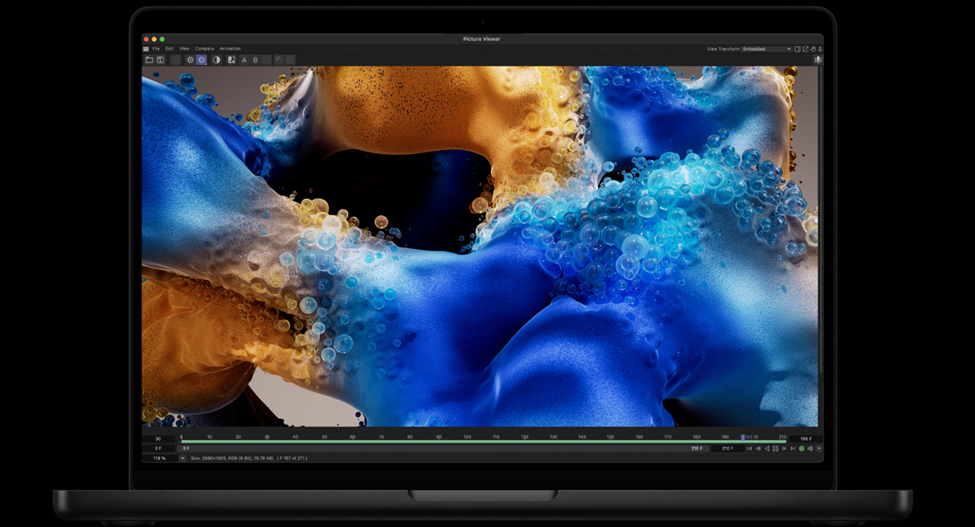
The MacBook Pro is built for people whose work pushes a laptop too hard to deliver. Video editors working with large files, developers running multiple programs at once, music producers with heavy projects, or creators using demanding software every day. These are the people MacBook Pro is really made for.
Chip and performance: The MacBook Pro lineup is available in both 14-inch and 16-inch sizes, with Apple offering M5, M5 Pro, and M5 Max chip options across the range. The higher-end chips are designed for professional creative work, heavy multitasking, and demanding software.
Unlike the MacBook Air, the MacBook Pro has built-in cooling fans, which means it can handle demanding tasks for long periods without slowing down. If you regularly edit large videos, render 3D projects, code for hours, or work across multiple heavy apps at once, the extra performance makes a noticeable difference.
Display: The 14.2-inch Liquid Retina XDR display supports up to 1600 nits peak brightness and delivers deeper contrast, richer colours, and smoother visuals with ProMotion. Apple also offers an optional nano-texture finish for reducing glare.
For photo editors, filmmakers, and designers, the display upgrade is genuinely useful. For everyday use, though, the MacBook Air’s display is already excellent.
Storage and memory: It starts with 1TB storage and can go up to 8TB depending on the model. Options include 1TB, 2TB, 4TB, and 8TB. Unified memory starts at 16GB and can go up to 128GB on higher-end configurations.
For creators working with large video files, RAW photos, music libraries, or demanding software, the extra storage and memory make a real difference. For most people, though, 1TB is usually enough.
Like a MacBook Air, storage cannot be upgraded later, so it is important to choose carefully while buying.
Battery life: Battery life on MacBook Pro models is excellent despite all the extra power. Apple rates the 14-inch model for up to 22 hours and the 16-inch model for up to 24 hours of battery life. In real use, most people can comfortably get through a full workday without worrying about charging.
Weight and portability: The 14-inch Pro weighs around 1.55-1.62 kg, while the 16-inch version weighs about 2.15 kg. They are still portable but noticeably heavier than MacBook Air. If you carry your laptop everywhere every day, especially to college or work, that extra weight is worth thinking about.
Price: The 14-inch MacBook Pro starts at ₹1,89,900, while higher-end M5 Pro and M5 Max configurations can go well above ₹6,00,000 depending on upgrades.
MacBook Neo: A Good Starting Point
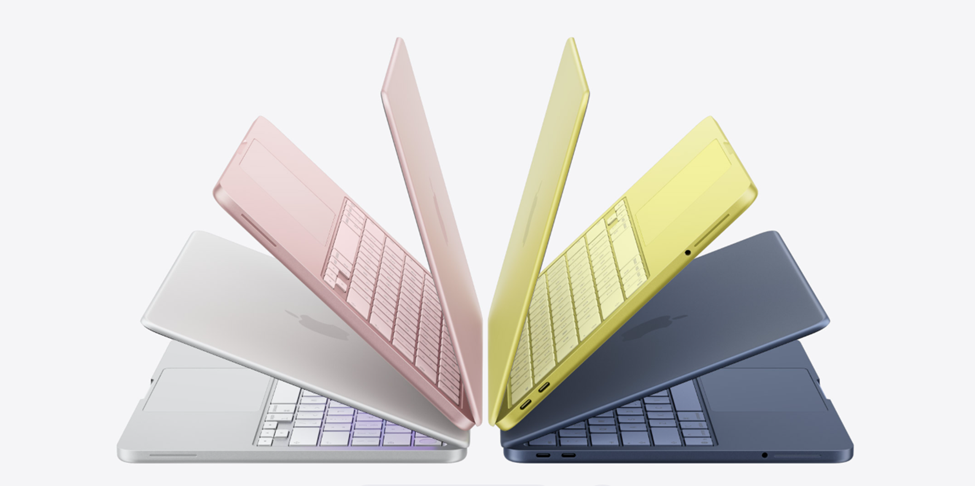
The MacBook Neo is Apple’s most affordable laptop, designed for students and everyday users who want a MacBook without spending MacBook Air money. It is not built for heavy creative workloads, but for everyday tasks, it feels fast, reliable, and very easy to live with.
Chip and performance: It runs on Apple’s A18 Pro chip, the same chip family used in recent iPhones. Everyday tasks like browsing, assignments, streaming, video calls, note-taking, and multitasking feel smooth and responsive.
It can also handle light creative work like Canva, photo editing, and basic video editing, though heavier editing and demanding multitasking are where its limits start to show. For most students, though, the performance is more than enough.
Display: It has a 13-inch Liquid Retina display that looks sharp and vibrant for everyday use. Watching shows, reading, writing, and scrolling all feel great on it.
It does not have the brighter XDR display or 120Hz ProMotion refresh rate found on the Pro models, but for the price, the screen still feels premium.
Storage and memory: It starts with 256GB storage, configurable up to 512GB. For students and casual users, 256GB works, but 512GB is the safer option if you plan to keep the laptop for several years.
Like other modern MacBooks, storage cannot be upgraded later, so it is important to choose carefully while buying.
Battery life: Apple rates MacBook Neo for up to 16 hours of battery life. In real use, it can comfortably last through a full day of classes, work, streaming, and browsing without needing to charge.
Weight and portability: It weighs 1.23 kg, making it one of the lightest laptops in Apple’s lineup. It is compact, easy to carry around, and clearly designed for students and people constantly moving between classes, cafés, or workspaces.
Price: Starts at ₹69,900, making it the most affordable way to get a modern MacBook experience. Student pricing brings the cost down even further.
The Student Discount Is Worth Using
If you're a student, Apple’s education pricing is worth checking before buying a MacBook anywhere else. The discount on the laptop itself may not seem massive, but Apple usually runs a back-to-school offer during the summer that includes free AirPods or other accessories with eligible purchases. That alone can save you a decent amount of money.
You can access student pricing through Apple’s Education Store online or by showing a valid student ID at an Apple Store. If this is your first MacBook, it’s worth checking these options before paying full price.
Which MacBook Should You Buy?
Students
For most students, the 13-inch MacBook Air is the best choice. It handles assignments, research, streaming, online classes, and everyday multitasking easily while staying light enough to carry around all day. If possible, go for 1TB of storage so you do not run out of space too quickly.
Writers
The MacBook Air is more than enough for writers. The battery lasts long enough for full workdays, the keyboard feels great to type on, and the lightweight design makes it easy to carry between classes, cafés, or workspaces.
Creators
If you edit videos professionally, work with large design projects, or produce music with heavy software, the 14-inch MacBook Pro is worth the extra money. MacBook Air can still handle lighter creative work well, but MacBook Pro performs better during long and demanding sessions.
Working professionals
For most office work, remote jobs, and multitasking between apps and meetings, the MacBook Air works perfectly well. MacBook Pro only becomes necessary if your software or workflow regularly demands more power.
People on a tighter budget
The MacBook Neo is the most affordable option in Apple’s lineup and works well for basic everyday use. You can also look at Apple’s certified refurbished MacBook Air models, which cost less while still including a warranty.
The Bottom Line
Choosing the right MacBook is less about buying the most powerful option and more about understanding how you actually use a laptop. For most people, the MacBook Air is already more than enough. The MacBook Pro makes sense for users who genuinely need extra performance, while the MacBook Neo offers a more affordable way into the Apple ecosystem. The best MacBook is not necessarily the most expensive one. It is the one that fits your everyday life best.